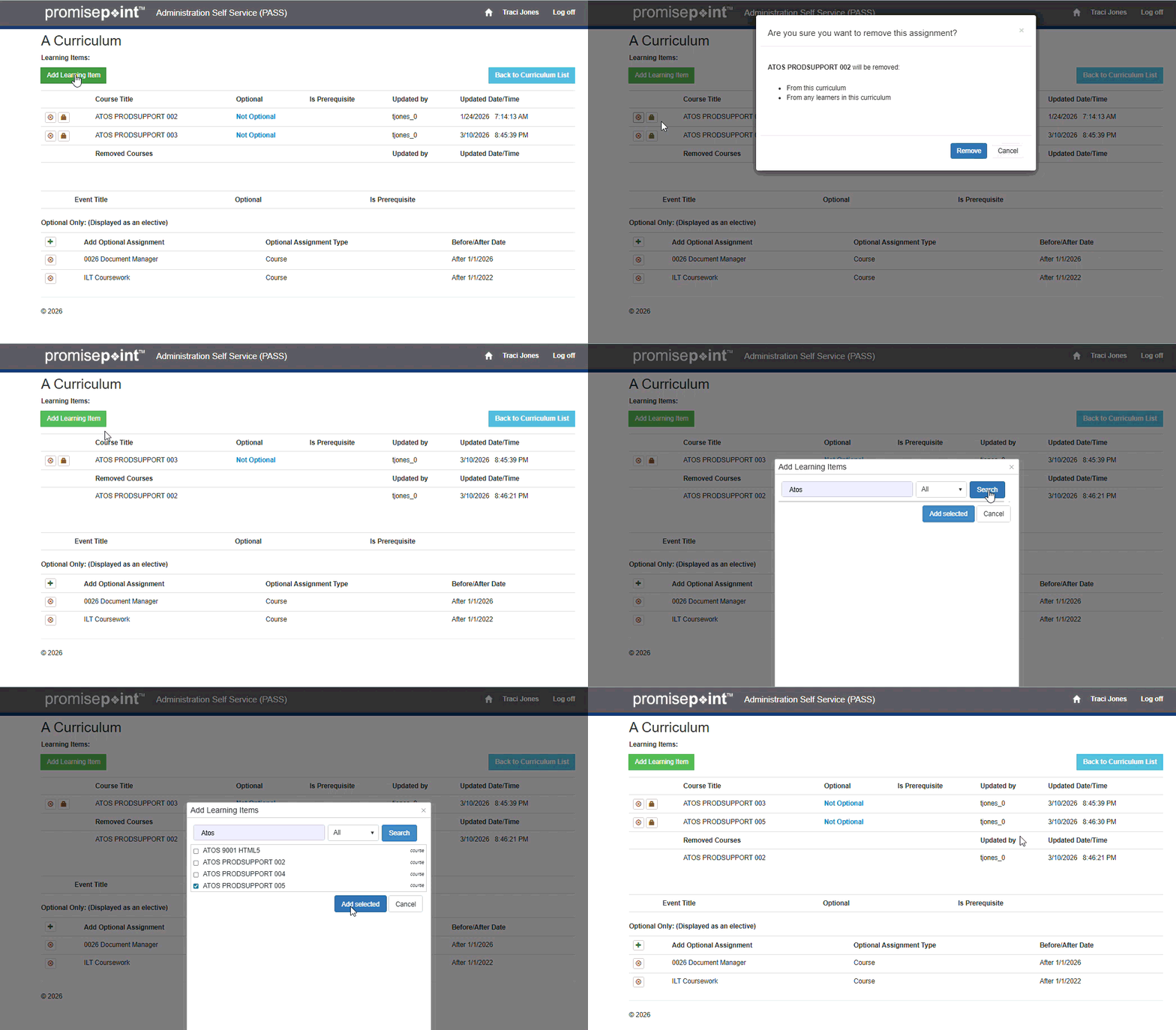
Learn how to add or remove a course from/to a curriculum as a PASS curriculum management administrator, by watching this video.
Short Videos:
Or follow these quicks steps:
- Log into PASS.
- Click, Curriculum list.
- Click the number in the Assignments column for the appropriate curriculum.
- To add a course, click in the Enter Title field; then, search for the course that you are adding, with the number or title of course.
- Then, select the course.
- Click, Add Course.
- To remove a course, perform same steps, but click the Remove icon for the course.
- Then, click Remove.
Refresh to replay gif