Learn how to Manage Training Rooms as a PASS Administrator with the ILT Session and training room admin role by watching this short video.
Video: Manage Training Rooms
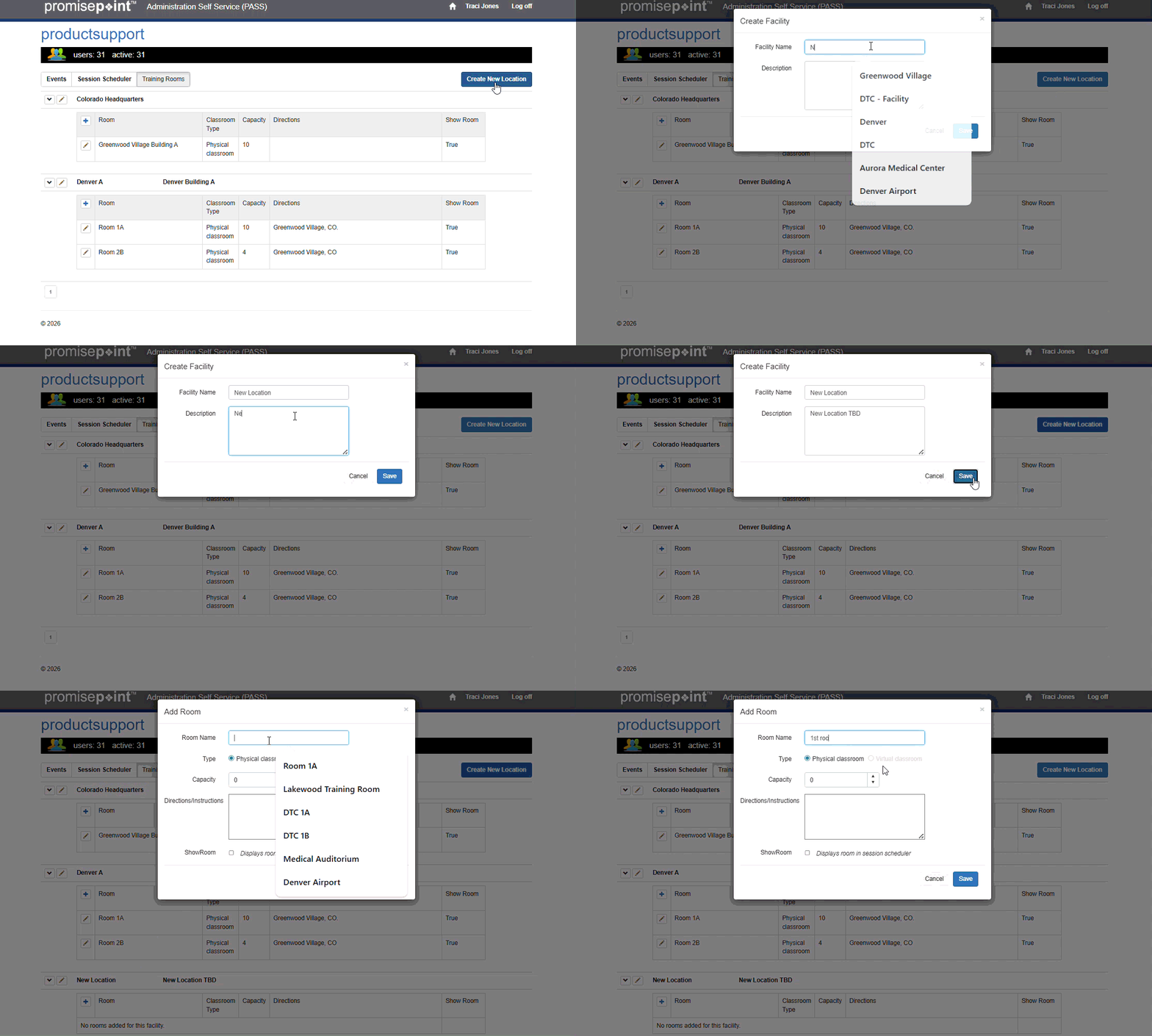
Or follow these quick steps:
- Login to PASS.
- Click Training Rooms.
- Click Create New Location.
- Enter the appropriate facility in the Facility Name field
- Then, click the Description field; enter an appropriate description.
- Click Save.