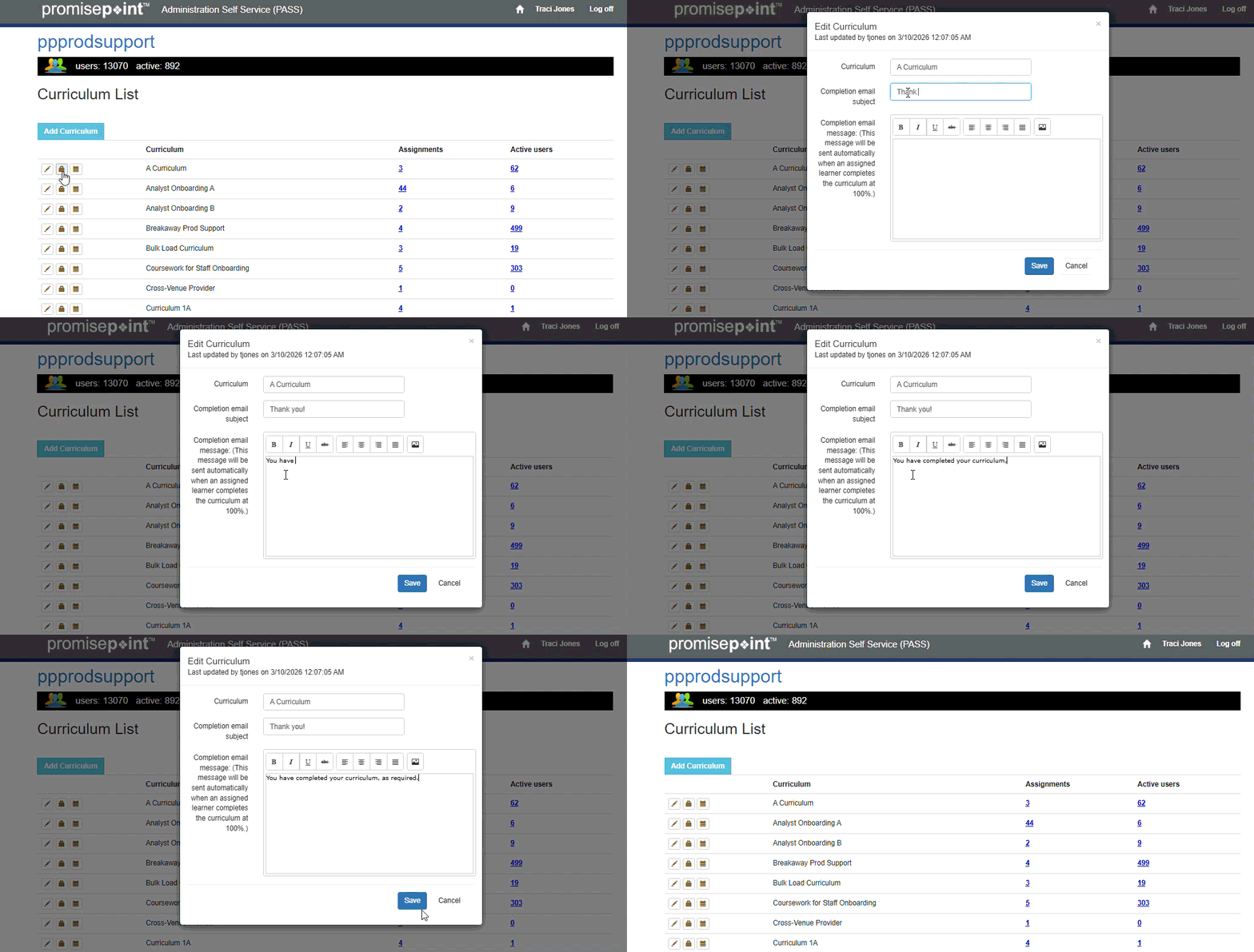
PASS administrators with the curriculum management admin role, can add a message to a curriculum that will be emailed to the learner once the curriculum is completed.
Learn how to do this by following these quick steps:
- Log into PASS.
- Click on the curriculum list option.
- Click the edit curriculum button.
- The edit curriculum window opens; key in the subject of the message in the Completion email subject field.
- Create the message.
- Click Save.
Note: The email is sent at the top of the next hour, when the learner has completed the curriculum.